
Nov 20, 2011 | Blog, Downloads, Fireworks Tutorials
Three free vector flower design samples created in Adobe Fireworks. Once downloaded unzip and open the .png file in Adobe Fireworks. Each ‘flower’ (group) graphic is isolated onto its own Layer for easy selection. Use as you please. [divider] How was it Made? I...
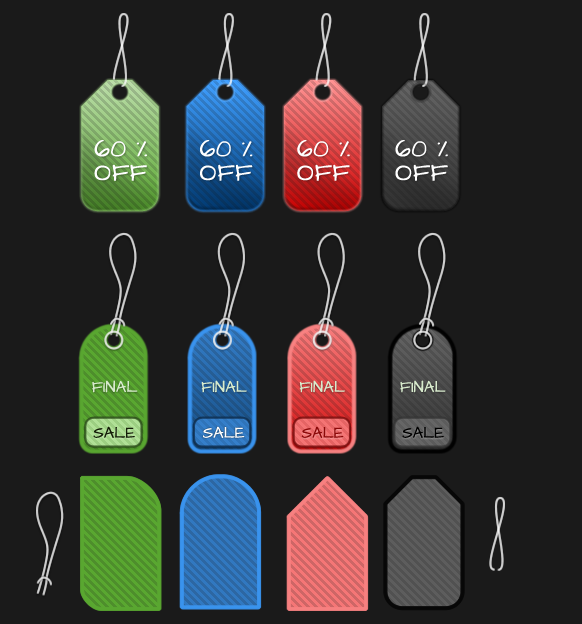
Nov 13, 2011 | Blog, Downloads, Fireworks Tutorials
Eight free ‘price tag’ vector graphics, including some additional base element shapes to work with for user inspired additions. Download [download id=”15″]. Once downloaded unzip and open the .png file in Adobe Fireworks. Each ‘price...

Nov 13, 2011 | Blog, Fireworks Tips, Fireworks Tutorials
Here is a workflow tip when working with Auto-Shapes and applying multi-tiered filtering. As captured below you can locate the 13 native Auto-Shape Tools directly from the Toolbar. When drawn to Canvas, the Star Auto-Shape for example, you get special object oriented...
Oct 15, 2010 | Fireworks Tutorials, Flash Catalyst
Learn how to export Fireworks CS5 artwork (scrollbar/ scroll panel) to its corresponding interactive Flash Catalyst CS5 component. Visit the Scrollbar Panel Toolkit page for details.
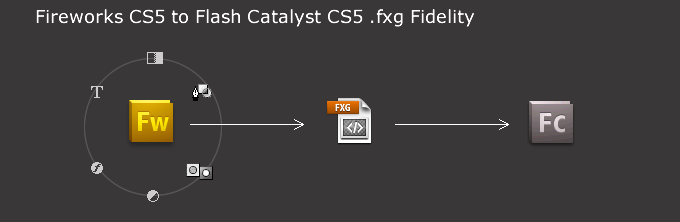
Oct 10, 2010 | Fireworks Tutorials, Flash Catalyst
Using Fireworks CS5 to design interactive prototypes for Flash Catalyst follow these simple ‘mapping’ procedures to insure optimal results. Below is a simple login design and Layer structure using core Fireworks design elements (text, paths, primitive shapes, styles,...
Jun 19, 2010 | Fireworks Tutorials
Auto Vector Mask Bitmap Objects Ensure an object is active in the Layers panel, in my case a Bitmap, otherwise you will be greeted with an ‘Incorrect selection for this operation’ message. Then go to the Commands > Creative > Auto Vector Mask menu...
