
Aug 29, 2012 | Blog, Downloads, Edge Animate
[message type=”info”]SAMPLE PREVIEW AND DOWNLOAD NOW UPDATED FOR THE LATEST VERSION OF EDGE ANIMATE[/message] Adobe Edge Animate adds a new feature set when working with text, image and shape (Rectangle, Rounded Rectangle, Ellipse) elements. As captured...
Aug 27, 2012 | Blog, Downloads, Edge Animate
[message type=”info”]SAMPLE PREVIEW AND DOWNLOAD NOW UPDATED FOR THE LATEST VERSION OF EDGE ANIMATE[/message] The following sample and download demonstrates a simple (custom) use case vertical and horizontal scroll bar. As captured below, the process uses...

Feb 24, 2012 | Blog, Downloads, Edge Animate
[message type=”info”]SAMPLE PREVIEW AND DOWNLOAD NOW UPDATED FOR THE LATEST VERSION OF EDGE ANIMATE[/message] This is a deviation from the Symbol Instance tutorial posted earlier. I re-positioned the symbol instance; turned off Solid Color Fills; disabled...

Feb 24, 2012 | Blog, Downloads, Edge Animate
[message type=”info”]SAMPLE PREVIEW AND DOWNLOAD NOW UPDATED FOR THE LATEST VERSION OF EDGE ANIMATE[/message] Here is a simple example demonstration symbol creation and using multiple instances’ of that symbol on the Timeline, with a touch of...

Jan 20, 2012 | Blog, Downloads, Edge Animate
[message type=”info”]SAMPLE PREVIEW AND DOWNLOAD NOW UPDATED FOR THE LATEST VERSION OF EDGE ANIMATE[/message] Here is a neat little snippet to get a YouTube HTML5 video control inside Adobe Edge Animate. Preview YouTube HTML5 video sample. Setup Div...
Jan 19, 2012 | Blog, Downloads, Edge Animate
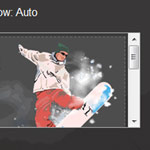
[message type=”info”]SAMPLE PREVIEW AND DOWNLOAD NOW UPDATED FOR THE LATEST VERSION OF EDGE ANIMATE[/message] Here is a simple example of element nesting now available in Adobe Edge Animate. Click the above image to preview example. Element Nesting: Select...
