Join National Association of Photoshop Prefessionals  | Home | All Tutorials | Close Window | Bookmark It | Print It ||  SuiteBlog 

istockphoto

AutoFX Software - Visual Imaging Solutions

Fluid Mask - next-generation cut out tool

Photoshop Tutorials & Photoshop Plugins | PhotoshopSupport.com

Apple Store


Sitegrinder


Apple Online Store

Depth OF Field

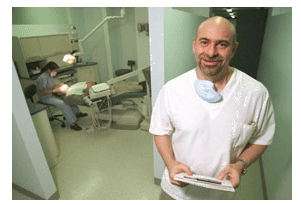
1. Grabbed any image off the net as an example. In this case I just want to simply give focus to the dentist and blur the background.

2. Start with the Lasso Tool and draw a continuous line around the Dentist figure.
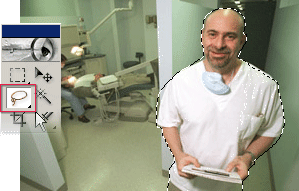
3. Then go to Select, menu option and choose Inverse.

4. Then Filter menu option , then Blur/ Gaussian Blur and play with the setting that best suits you.

This is the setting I used.
Then hit OK.
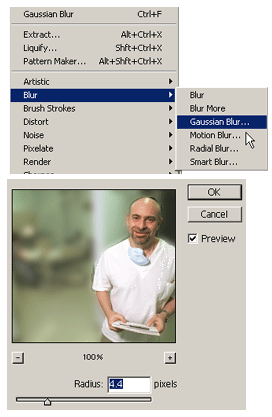
5.This is what mine looked like. Still a little work left to do.
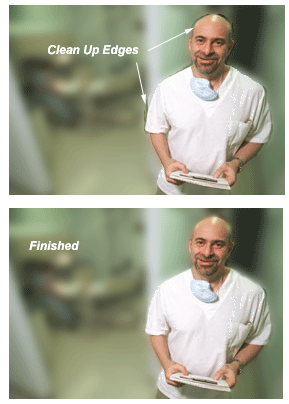
But theres a few edges to clean up since I never got close enough with the Lasso Tool earlier.
So all I need to do is select the 'Blur Tool' from the Toolbar.


Zoom in on the areas, then apply your blur using a small tip brush.
heathrowe.com | Tutorials | Downloads | Affiliates | Newsletter | Resources | Contact | Sitemap | Privacy | SuiteBlog 
Copyright © Darrell J. Heath|heathrowe.com, 1999-2008 |  191 Users Online.  
| Site Hosted at: Geo Hosting