
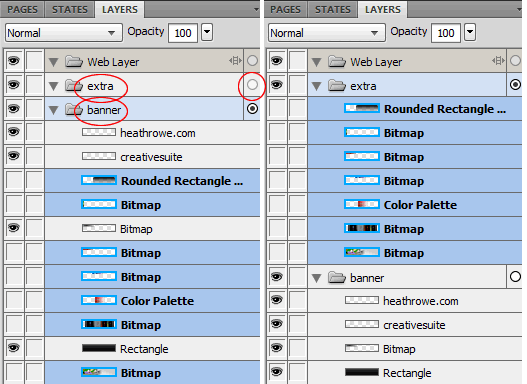
Below, left, I have two Layers: ‘extra’ (currently empty) and ‘banner’ (with hidden and visible objects).
I want to move all the hidden objects out of the ‘banner’ Layer and move them into the ‘extra’ Layer in a single click.
Move on Single Click
To do this simply select your objects or multiple objects, as I have captured below, left.
Then clcik the hollow (Active Layer) icon to the far right of the target Layer 9in my case ‘extra’).
Instantly, all selected objects from ‘banner’ Layer will move to ‘extra’ Layer.
Notes:
- This operation also works from root Layer to Sub Layers, and vice versa. As well as, from Sub Layers to Sub Layers.
- This operation is not applicable to Web Layers or Web Sub Layers.