Oct 6, 2011 | Downloads, Edge Animate
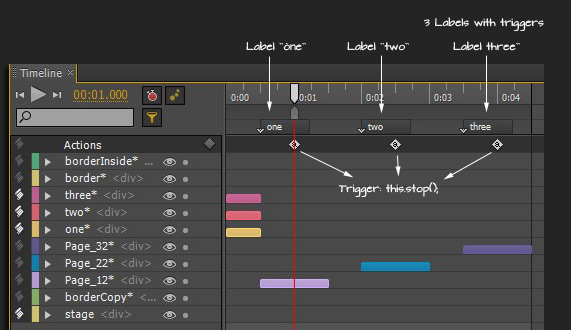
[message type=”info”]SAMPLE PREVIEW AND DOWNLOAD NOW UPDATED FOR THE LATEST VERSION OF EDGE ANIMATE[/message] The following capture shows (A) a simple three image slide show with (B) three trigger elements (buttons) that allows the end user to...
Oct 6, 2011 | Edge Animate
A simple process of looping an animation in Adobe Edge. As captured below apply a ‘complete’ action to the Timeline so that when the animation completes it will go back to the designated timeline position (in my case 0 ms) and loop through continually. To...

Aug 4, 2011 | Edge Animate, RIA
Here is another small sample I did with preview 1. Click the image below or Cogs Sample to preview in a new window. Once the new window opens allow for the animation to play through and then refresh the page to see it again.
